 My Calendar Pro – Plugin Documentation
My Calendar supports custom fields to collect event information that isn’t natively supported by My Calendar. Since My Calendar Pro 3.0.0, you can create your custom fields directly in the admin.

Custom field types supported include text, email, number, date, time, url, tel, select, checkbox, radio, textarea, and hidden fields.
Custom fields can also be defined in PHP for more advanced configuration or defined in a JSON file called mc-custom-fields.json, stored in your plugins/my-calendar-custom directory or in your theme directory. An example JSON definition file is in the plugin’s root folder.
All custom fields will be listed in the custom field editor, though PHP and JSON fields can’t be modified in the editor.
Preview mode
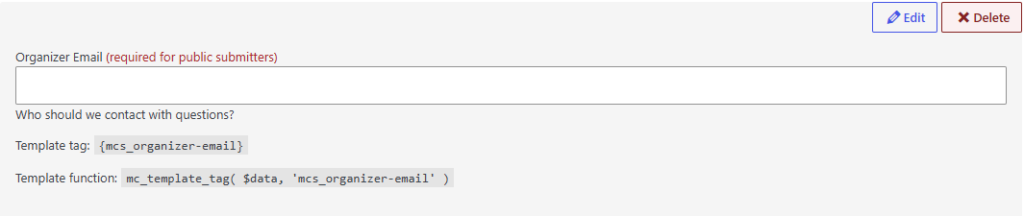
Editing mode

Toggle the ‘Edit’ button to switch the field into editing mode. After making changes, an ‘Update’ button will appear next to the ‘Edit’ toggle.
Sample JSON Custom Field Definition
{
	"unique_field_key":
	{
		"field_label": "Label",
		"field_type": "text",
		"field_notes": "Example notes",
		"field_required": "true",
		"id": "_label",
		"sanitize_callback": "sanitize_text_field",
		"escape_callback": "esc_attr",
		"display_callback": "wp_kses_post"
	}
}